Canceling Your Subscription
You can cancel your Premium subscription at any time. Your Premium access continues until the end of the current billing period. You won't be charged again after that.
Over-limit data is permanently removed
When you cancel and your account returns to Free, any zones and plants beyond the Free tier limits (3 zones, 100 plants) are permanently removed. This is different from pausing, which keeps all of your data.
Open Account actions
Go to Account. Click the settings icon (gear icon) on the Profile information card to open Account actions, then choose Cancel subscription (Premium accounts).
Click Cancel subscription
Confirm the cancellation. You'll see a warning about permanent removal of over-limit zones and plants, and when Premium access ends.
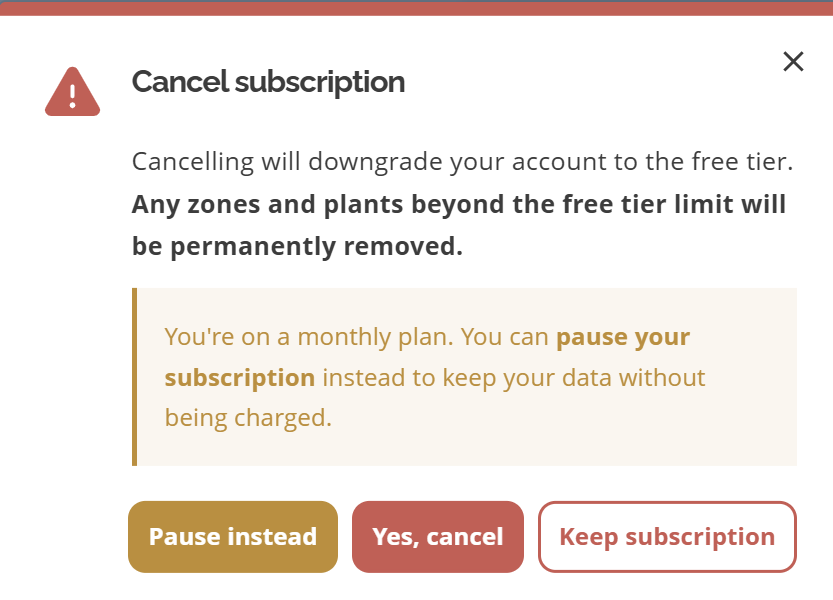
Cancel subscription confirmation
What happens when you cancel
Premium access continues until the end of the current billing period
Zones beyond 3 and plants beyond 100 are permanently removed
AI features are no longer available
You keep Free-tier capacity (up to 3 zones and 100 plants)
Want to keep your data?
If you're on a monthly plan, pause your subscription instead of canceling. Pausing stops billing and keeps all zones and plants. Over-limit items are locked until you resume. Annual plans cannot be paused; consider switching to monthly first if you need to pause. See Pausing Your Subscription and Viewing invoices and billing options.
Leaving dropletPRO entirely?
Canceling keeps a Free account. To permanently remove your sign-in and all data, use Deleting your account under Account → Danger zone.
Common questions
Will I receive a refund if I cancel mid-period?
Subscriptions are not refunded for the current period. You retain Premium access until the period ends.
Can I reactivate Premium after canceling?
Yes. On Account, use Upgrade to Premium on the Subscription card to choose a plan again. Data that was permanently removed on cancel cannot be restored.
Is canceling the same as deleting my account?
No. Canceling ends Premium and keeps a Free account. Deleting removes the entire account immediately. See Deleting your account.
Related articles
Pausing Your Subscription
Free vs Premium
Upgrading to Premium
Managing your Account
Deleting your account
Was this helpful?
If you still have questions, contact us and we'll help you out.