Pausing Your Subscription
Monthly subscribers can pause their Premium subscription instead of canceling. Pausing stops billing while keeping all of your zones, plants, and other data, including anything beyond Free-tier limits.
Pause keeps your data; cancel does not
This is the big difference from canceling. Cancel permanently removes zones and plants beyond Free limits. Pause preserves everything; over-limit items become locked after your billing period ends until you resume Premium.
Monthly plans only
Annual subscribers cannot pause. To keep your data without canceling, switch to a monthly plan first (Account actions → Switch to Monthly), then pause.
Open Account actions
Go to Account. Click the settings icon (gear icon) on the Profile information card to open Account actions, then choose Pause subscription when it is available (active monthly Premium).
Confirm the pause
Confirm that you want to pause. Your subscription pauses at the end of the current billing period. You keep full Premium access until then, and you can Cancel pending pause anytime before it takes effect.
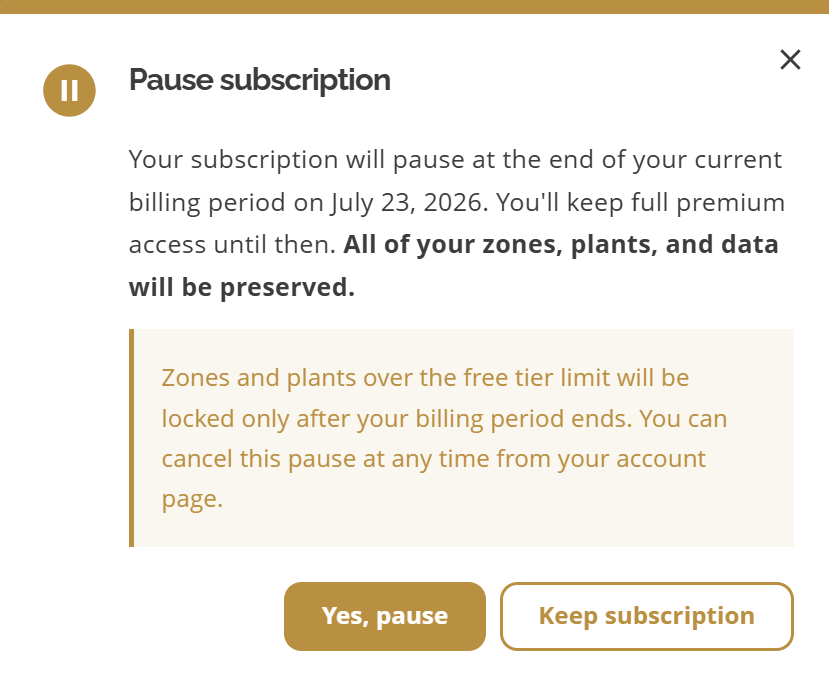
Pause subscription confirmation
While paused
No further charges until you resume
All zones, plants, and data are preserved; nothing is deleted
Zones and plants over the Free-tier limit are locked (read-only) after the pause takes effect
AI features are unavailable while paused
You can resume anytime from Account actions (gear icon) → Resume subscription, or from the Subscription card when it shows Resume subscription
To resume, open Account actions and choose Resume subscription, or click Resume subscription on the Subscription card when paused. Premium limits and AI access are restored immediately, and billing resumes. If a pause is scheduled but not yet active, Cancel pending pause is available from Account actions or the Subscription card.
Leaving dropletPRO entirely?
Pause keeps your account and data. To permanently remove your sign-in and all data, see Deleting your account.
Related articles
Canceling Your Subscription
Upgrading to Premium
Viewing invoices and billing options
Managing your Account
Deleting your account
Was this helpful?
If you still have questions, contact us and we'll help you out.