Deleting your account
You can permanently delete your dropletPRO account from Account. This is different from canceling Premium: canceling keeps your Free account; deleting removes your sign-in and all of your app data with no restore option.
This cannot be undone
Active or past-due subscriptions are cancelled immediately, and unused time on the current billing period is not refunded. Your profile, properties, zones, plants, watering history, bills, rate structures, AI usage data, and uploaded images are permanently deleted. You will not be able to sign in with the same credentials afterward.
Open Account → Danger zone
Go to Account from the navigation drawer or your profile menu. Scroll to Danger zone at the bottom of the page.
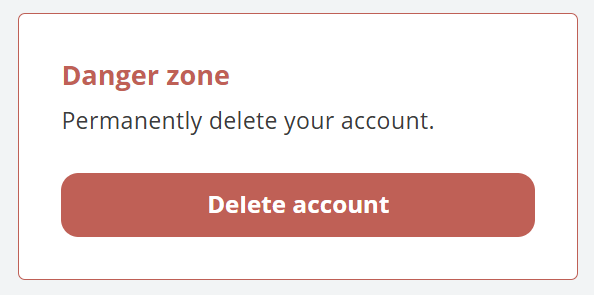
Danger zone on Account
Click Delete account
Confirm in the dialog. Type your account email exactly to enable Delete account. Choose Keep account to cancel.
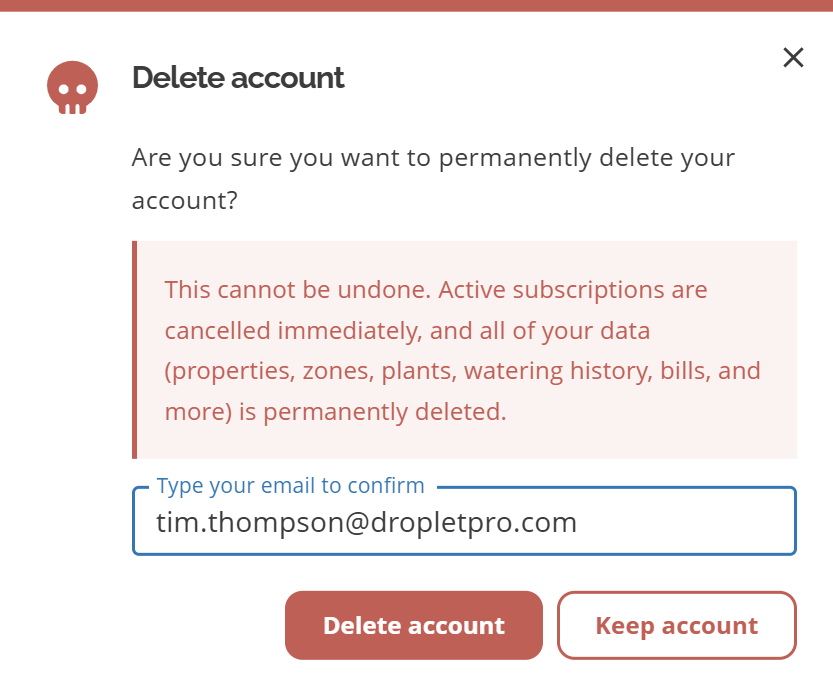
Delete account confirmation
Wait for deletion to finish
A progress dialog appears (Deleting account…). Do not close the window. When it succeeds, you land on an Account deleted confirmation page and are signed out. Use Return to Home to go to the landing page, or open the Deleting your account help article from that page for more detail.
What happens when you delete
Active, trial, and past-due subscriptions are cancelled immediately (billing stops)
Unused time on the current billing period is not refunded
All of your app data is permanently removed
Your sign-in is deleted, so you cannot log back in with the same email and password
Limited records may remain for legal, fraud prevention, billing, or internal audit purposes (for example, Stripe payment history and a minimal delete audit)
There is no restore or undo
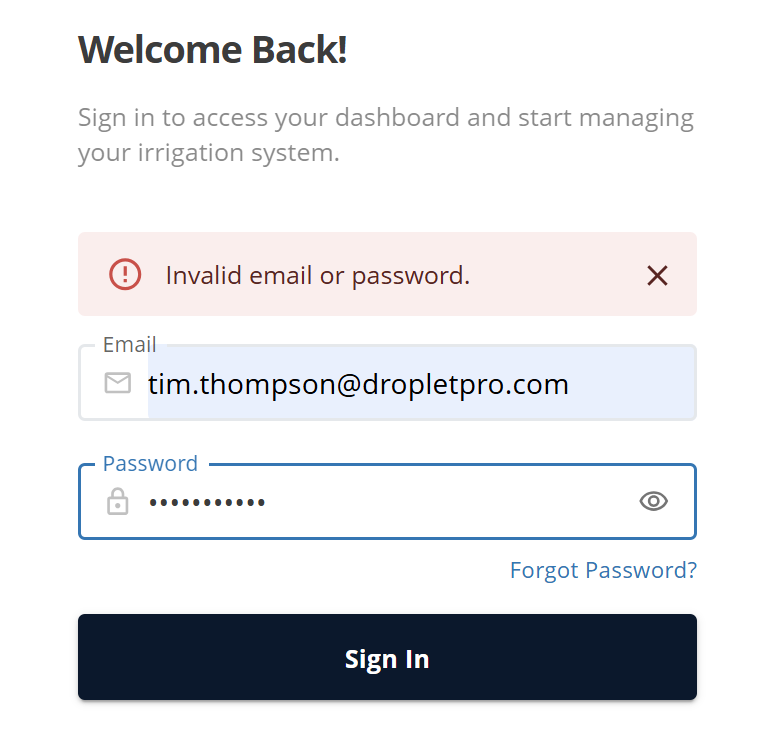
Sign-in after a deleted account
Only need to stop Premium?
If you want to keep a Free account and your data (within Free limits), cancel or pause instead. See Canceling Your Subscription and Pausing Your Subscription.
Common questions
Is deleting the same as canceling my subscription?
No. Canceling ends Premium at period end and keeps a Free account (over-limit zones and plants are removed). Deleting removes the entire account immediately.
Will I get a refund if I delete mid-period?
No. Deletion cancels billing going forward but does not refund the current period.
What data is retained after I delete my account?
Limited records may remain for legal, fraud prevention, billing, or internal audit purposes (for example, Stripe payment history and a minimal delete audit). Those records are not enough to restore your account or app data.
Can support restore my account?
No. Deletion is permanent. Support cannot restore a deleted account or its data.
What if deletion fails partway through?
If something goes wrong after billing may already have been stopped, do not keep retrying delete in a loop. Contact support@dropletpro.com.
Can I create a new account with the same email later?
After deletion, that email is no longer a dropletPRO account. You can register again as a new user; none of the old data comes back.
Related articles
Managing your Account
Canceling Your Subscription
Pausing Your Subscription
Is my payment information secure?
Was this helpful?
If you still have questions, contact us and we'll help you out.