Adding Plants
Plants in dropletPRO represent individual specimens or plantings in a zone. Each plant has a weekly water requirement in gallons that you enter manually or generate with the AI Plant Assistant (Premium).
Open Plant Management
Click Plant Management in the navigation drawer. Make sure the correct property is selected in the top bar. Plant Management is unavailable until that property has a zone. Create a zone on Zone Management first.
Click Add Plant
The Add Plant button is in the menu bar. If it is locked, you may have reached the Free plan's 100-plant limit.

Add Plant button
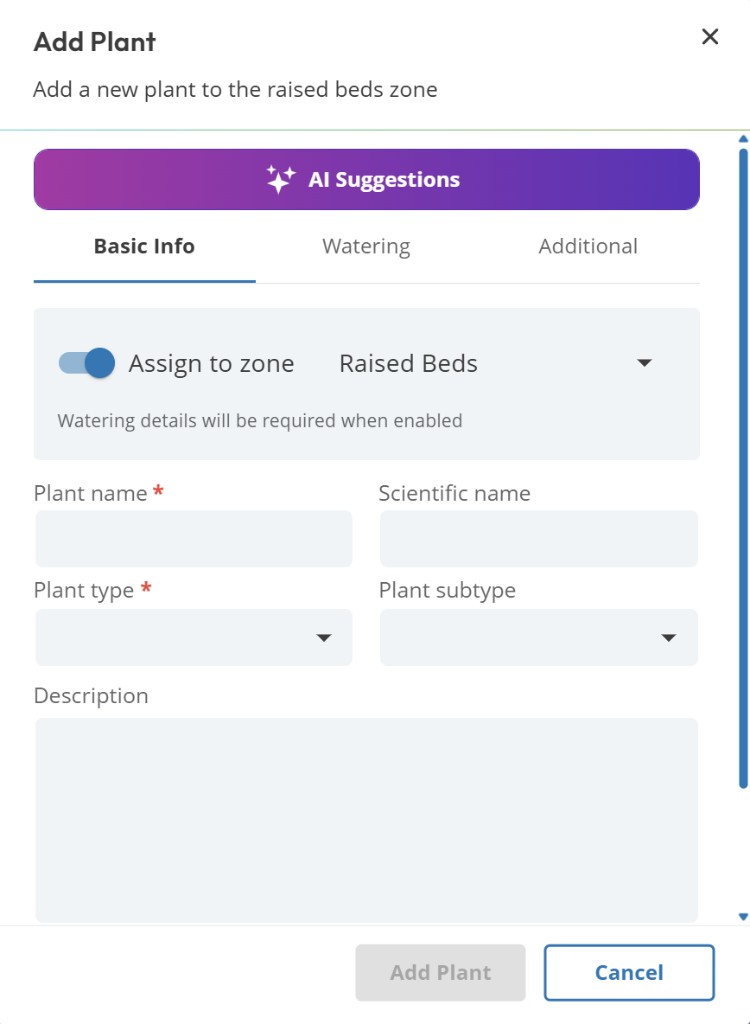
Select the zone
Choose the zone this plant belongs to. Zones group plants by irrigation area and share environment settings that inform watering calculations.
Enter the plant details
Fill in the common name and plant type from the type list in the form (types are loaded from the app, such as trees, shrubs, grass/turf, and other categories). Add age, size, Planting Area (sq ft), or other fields the form shows for that plant kind.
Set the watering value
Enter a gallons-per-week value manually on Free or Premium (Watering tab). With Premium, you can use AI Suggestions to analyze up to 6 plants in one request. See AI Plant Assistant.
AI Suggestions (Premium)
Use AI Suggestions for a climate-aware starting point
Even if you already have a sense of watering needs, AI Suggestions give you a documented baseline you can adjust from observation.
Plant entries are not individual plants
One entry can represent multiple identical plants. Ten shrubs with the same characteristics can be added as one entry with a quantity of 10. The Free plan's 100-plant limit counts entries, not individual plants. Create a separate entry when plants are in different zones or differ in age, size, or other relevant characteristics.
Deleting a plant is permanent
There is no undo for plant deletion. If you delete a plant by mistake, you will need to re-add it.
Common questions
Can I add a plant that isn't in the AI's knowledge base?
Yes. Enter the plant manually with a custom name, pick the closest matching type, and set the watering value yourself.
Can I duplicate a plant across zones?
Each plant entry belongs to one zone. If the same species grows in two zones, add it to each zone separately so you can track them independently.
Why is Add Plant locked?
Free accounts are limited to 100 plant entries account-wide. Premium accounts are limited to 500. Upgrade to Premium from Free, or see Why Can't I Add Another Plant?.
Related articles
Creating Zones
AI Plant Assistant
Unassigned Plants
Why Can't I Add Another Plant?
Upgrading to Premium
Was this helpful?
If you still have questions, contact us and we'll help you out.