Why Can't I Add Another Zone?
The Free plan includes up to 3 irrigation zones. If you have already created 3 zones, the "Add Zone" button will be locked until you either delete an existing zone or upgrade to Premium.
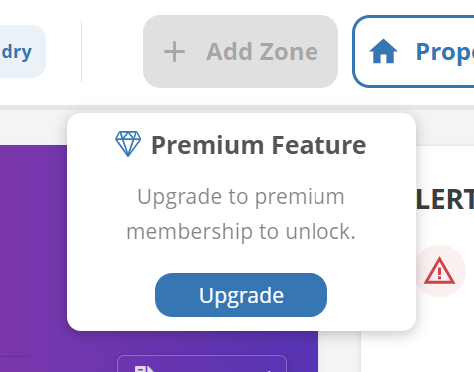
Add Zone locked at the Free plan limit
Your options
Delete a zone you no longer need. This permanently removes the zone and all plants assigned to it.
Upgrade to Premium. This raises the cap to 15 zones and 500 plant entries, plus Premium AI features.
Combine smaller zones. If two zones share the same environment and plant types, consider tracking them as one.
Deleting a zone is permanent
Zone deletion removes all plants and watering data assigned to that zone. There is no undo. Export or note any data you want to keep before deleting.
How to upgrade
Follow Upgrading to Premium. Upgrade takes effect immediately and the zone cap becomes 15.
Common questions
Does the 3-zone limit apply per property or account-wide?
The limit is account-wide. All zones across all properties count toward your 3-zone free limit. Premium is also account-wide (15 zones).
What happens to my data if I cancel Premium?
Canceling permanently removes zones and plants beyond Free limits. If you want to keep that data without being charged, pause instead (monthly plans only).
Related articles
Free vs Premium
Upgrading to Premium
Why Can't I Add Another Plant?
Why Can't I Add Another Property?
Was this helpful?
If you still have questions, contact us and we'll help you out.