AI Water Bill Upload
AI Water Bill Upload is a Premium feature that reads a water utility PDF and extracts rate tiers, fees (including percentage fees such as taxes), and related billing details into a draft rate structure you can review before saving.
Premium and annual upload quota
AI Assistance for water bills is Premium-only. It uses your included annual water-bill upload allowance first (shown on Account). After that is used up, an extraction costs 3 purchased AI credits from the shared pool. Upgrade to Premium if AI Assistance is locked.
Open the Add Rate Structure flow
Go to Rate Structures and click Add Rate Structure in the menu bar. You can also start from the Utility Cost card Get Started button on pages that show that card when no active rate structure is set.
Choose AI Assistance
In the Add Rate Structure dialog, click AI Assistance (Premium). Manual Entry is the alternative path if you prefer to type rates yourself.
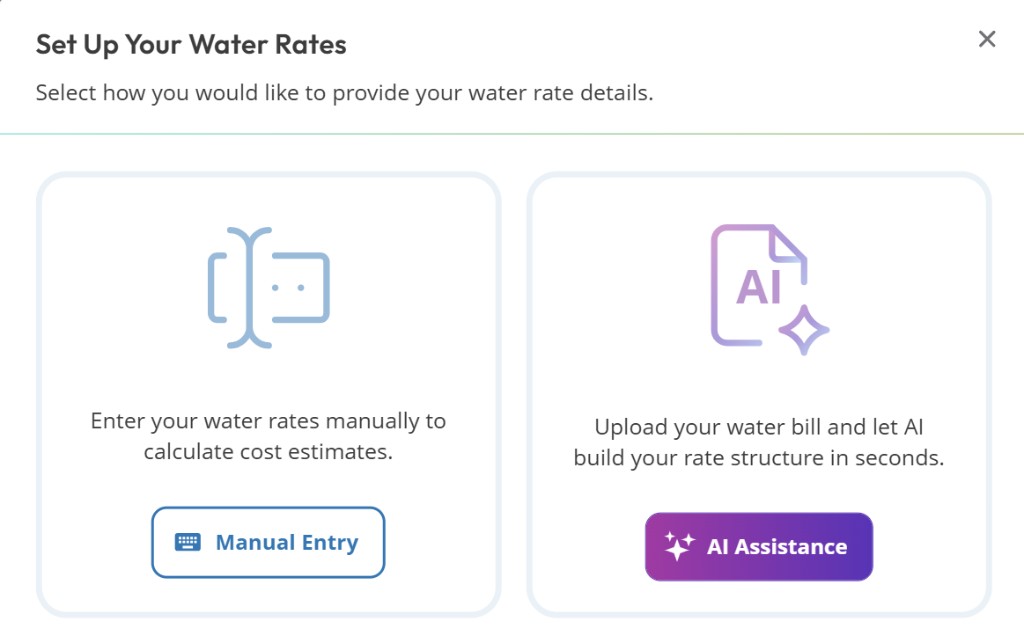
Choose AI Assistance
Enter utility info
On the first AI step, enter the utility company name, select the property, and choose the document type (water bill, rate structure document, or both). Continue when the required fields are complete.
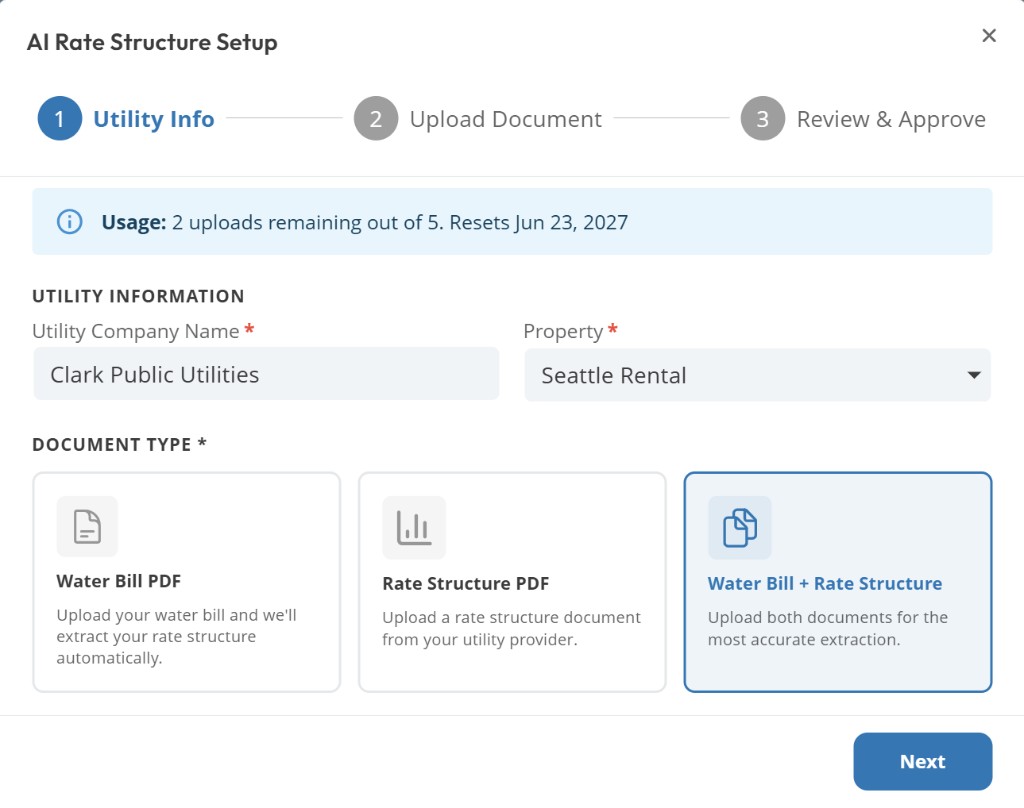
Utility Info step
Upload your PDF
Upload a digital PDF of a recent bill or rate schedule. Text-based PDFs work best. Scanned images are often less accurate. Files must stay within the upload size limit shown in the dialog.
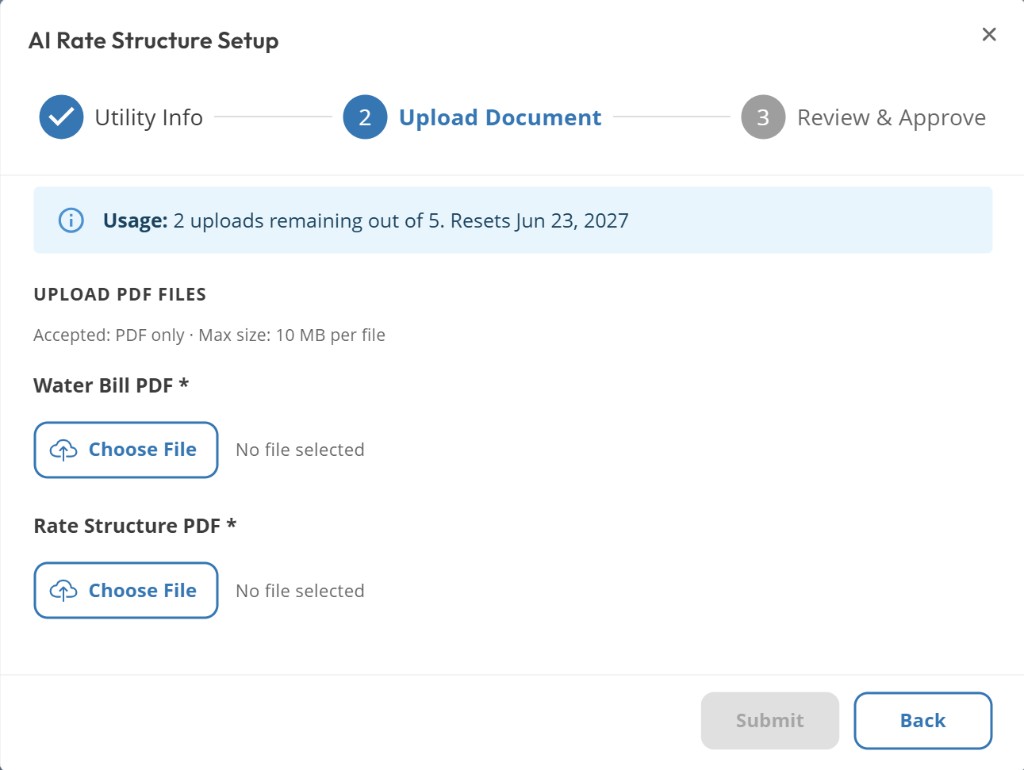
Upload Document step
Review and approve
Review the extracted tiers, flat fees, and percentage fees against your bill. If the schedule has more than one rate group, choose a group before review. If it needs a meter size, choose the meter after the rate group and before review. Correct anything that looks off, then verify and save. Verify inserts a new active structure. If the property already had an active structure, that rate structure becomes inactive and still counts toward your plan limit. Dashboard cost estimates then use the new structure.
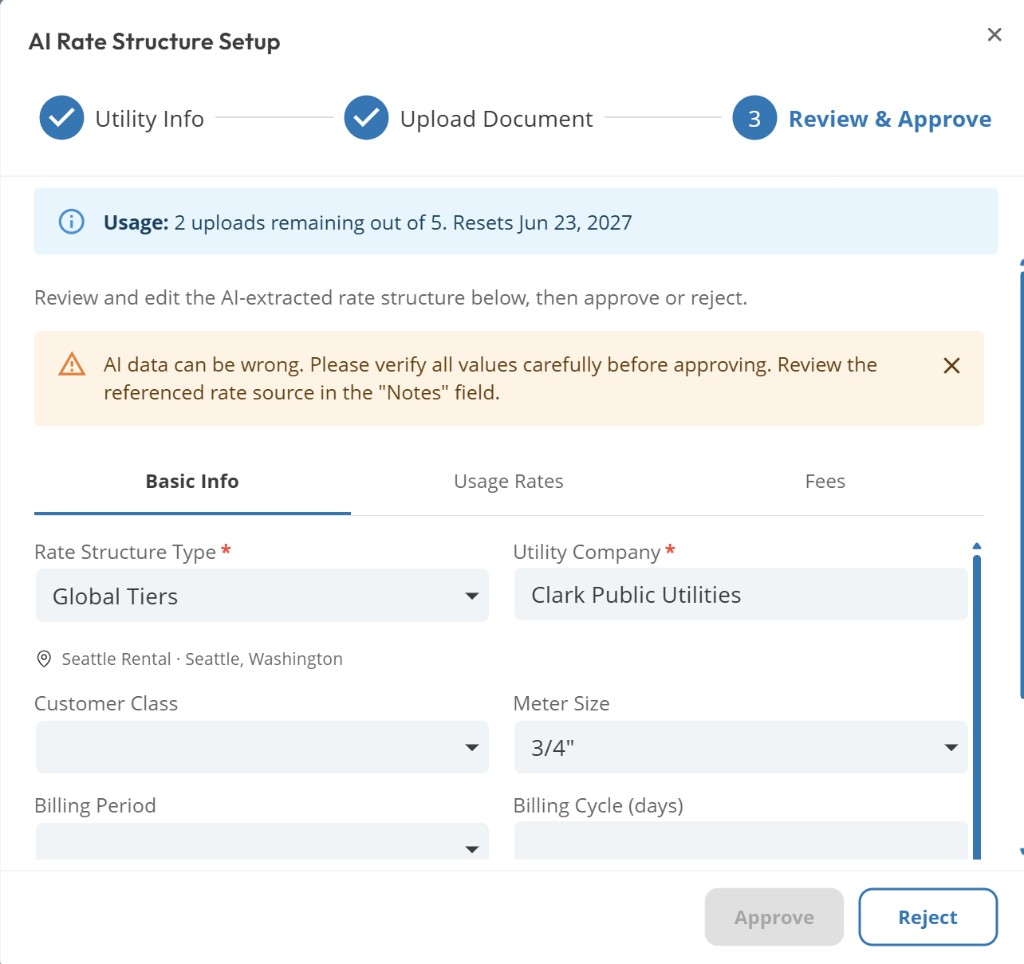
Review & Approve step
Use a current bill
Upload a bill from the last several months when possible. Utility rates change, and older documents may have outdated tiers or fees.
Common questions
Does uploading a bill use an AI Plant Credit?
No. Water bill AI uses included annual uploads first, then 3 purchased credits from the shared AI Credits pool. It does not use included plant requests.
What documents work best?
Digital PDF bills or rate schedules from most US residential utilities. Clear rate tables and usage charge sections produce the most accurate extraction.
Can I edit the AI result?
Yes. The review step is editable. Always confirm percentage fees (taxes) and tier breakpoints before saving. Saving from this flow is a new structure, not an in-place edit of the previous active rate structure. To change rates on an existing structure without using another slot, use Edit on Rate Structures.
Related articles
What is a Rate Structure?
Creating a Rate Structure Manually
Understanding AI Credits
Upgrading to Premium
Was this helpful?
If you still have questions, contact us and we'll help you out.