Quick Start Guide
dropletPRO helps you track water usage, estimate costs, and manage watering recommendations for every plant in your garden. It is a planning, management, and analytics app. It does not connect to Wi‑Fi, Bluetooth, or irrigation hardware. This guide walks you through setup in five steps.
Create your account
Go to the registration page and sign up with an email address or your Google account. No credit card is required to start. The Free plan gives you access to zones, plants, and manual watering tracking immediately.
Add a property
A property links your garden to a physical address so dropletPRO can pull local weather and climate data and scope your zones and rate structures. In the page menu bar, click Properties to open the Properties management modal, then click Add Property. Enter your street address and save. After you have properties, use the property dropdown in the menu bar to choose which property you are working in.
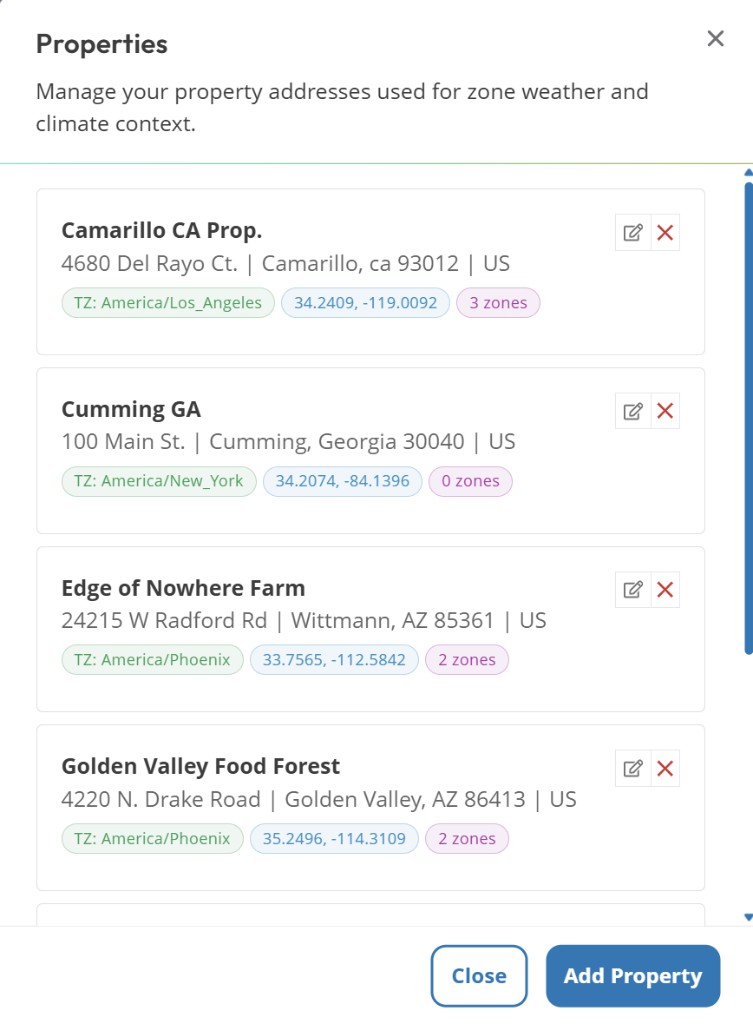
Properties modal. Add Property
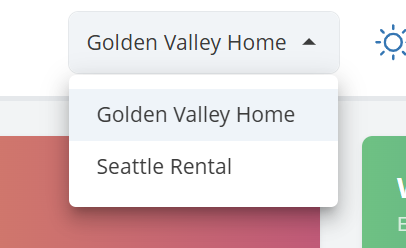
Property selector in the menu bar
Create your first zone
A zone is one irrigation area (a drip line, a bed, or a lawn section). Go to Zone Management and click Add Zone in the menu bar. Give it a name, set its environment fields (soil type, aspect/sun exposure, drainage, and related options), and review season checkboxes. New zones are assigned to all 4 auto-created seasons by default.
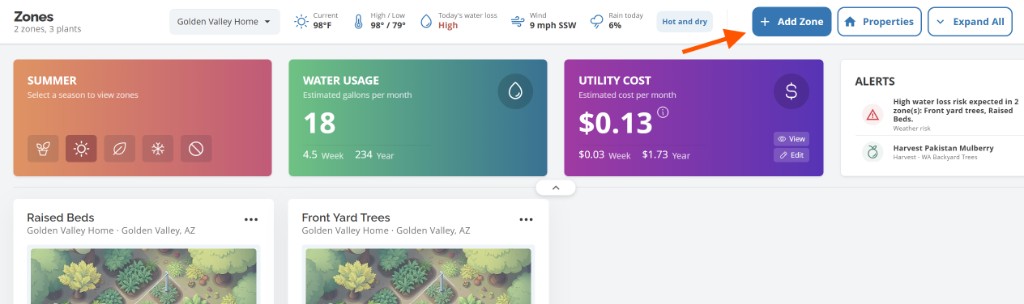
Add Zone in the Zone Management menu bar
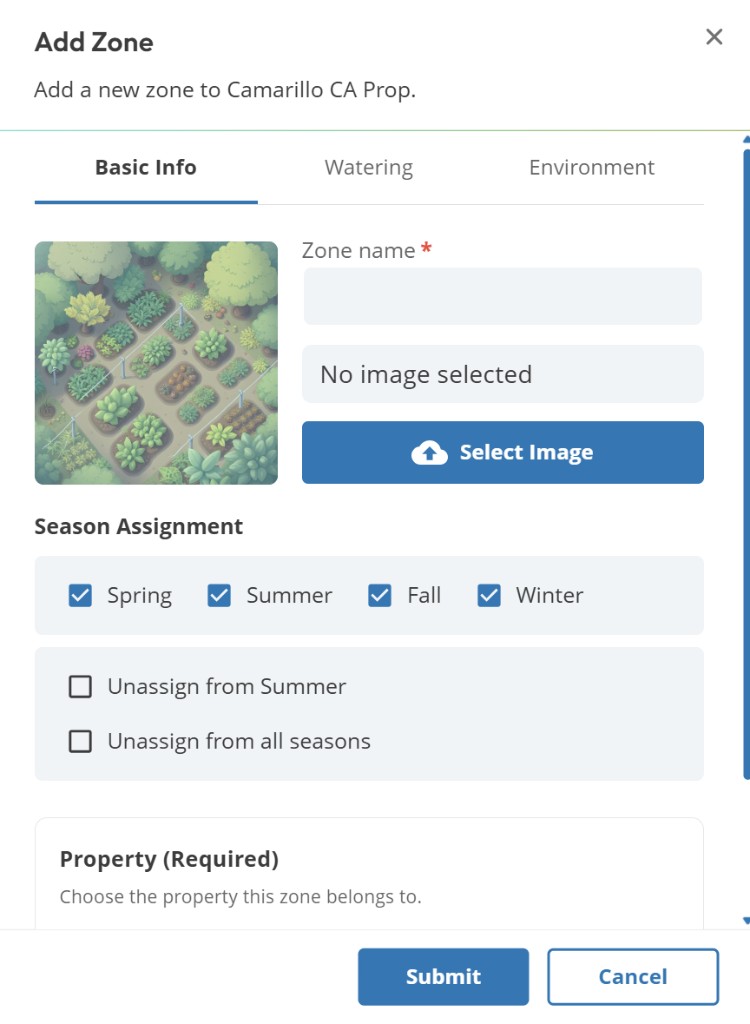
Add Zone form
Free plan: 3 zones
The Free plan supports up to 3 zones. Upgrade to Premium for up to 15 zones.
Add your plants
Open Plant Management and click Add Plant in the menu bar. Enter basic details, then open the Watering tab to set a gallons-per-week value manually. With Premium, you can also use AI Suggestions to analyze up to 6 plants in one request.
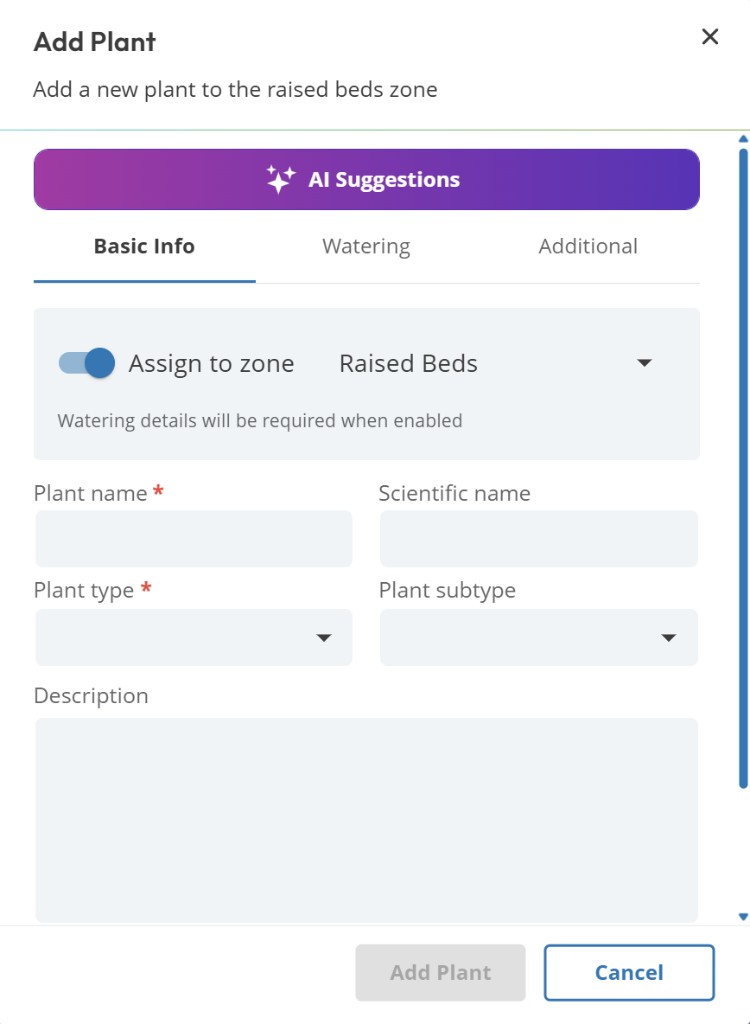
Add Plant form
Set up a rate structure (optional)
To see water cost estimates, go to Rate Structures and click Add Rate Structure in the menu bar. Choose Manual Entry or, on Premium, AI Assistance. Free includes 3 rate structures. Premium includes 15.
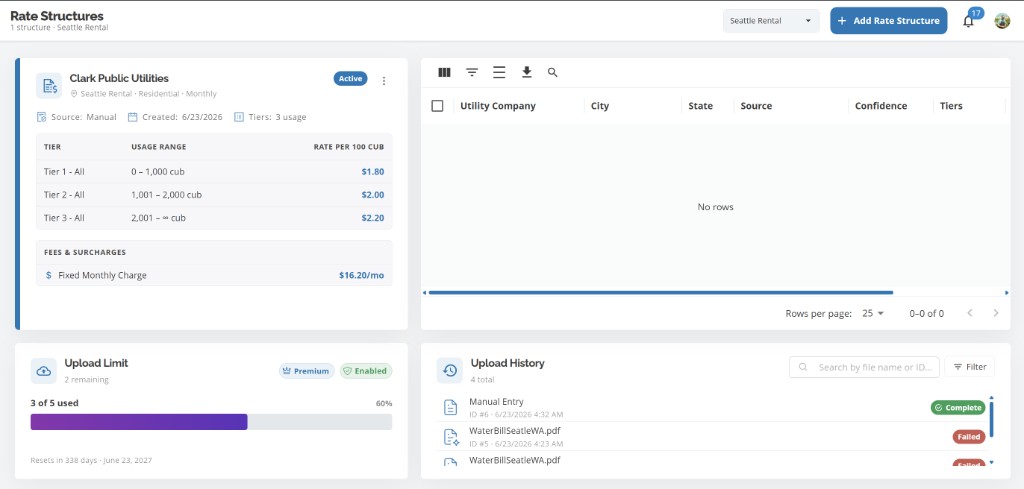
Rate Structures page
Once your zone has plants with watering values, your Dashboard will show weekly usage estimates, cost projections (if a rate structure is active), and any alerts that need attention.
Common questions
Do I need a subscription to get started?
No. The Free plan covers up to 3 zones, 100 plant entries, 3 properties, and 3 rate structures with manual watering values. Premium is required for AI features and raises those caps to 15 / 500 / 15 / 15.
Can I use dropletPRO without a property address?
You need at least one property to create zones and rate structures. The property address is used for local weather and climate context. Properties must be in one of the 50 U.S. states. See Can I add a property outside the United States?.
Does dropletPRO control my irrigation system?
Related articles
What is a Property?
What is a Zone?
Free vs Premium
Can I add a property outside the United States?
Was this helpful?
If you still have questions, contact us and we'll help you out.